 MATEO ZAPATA

PDF Editor
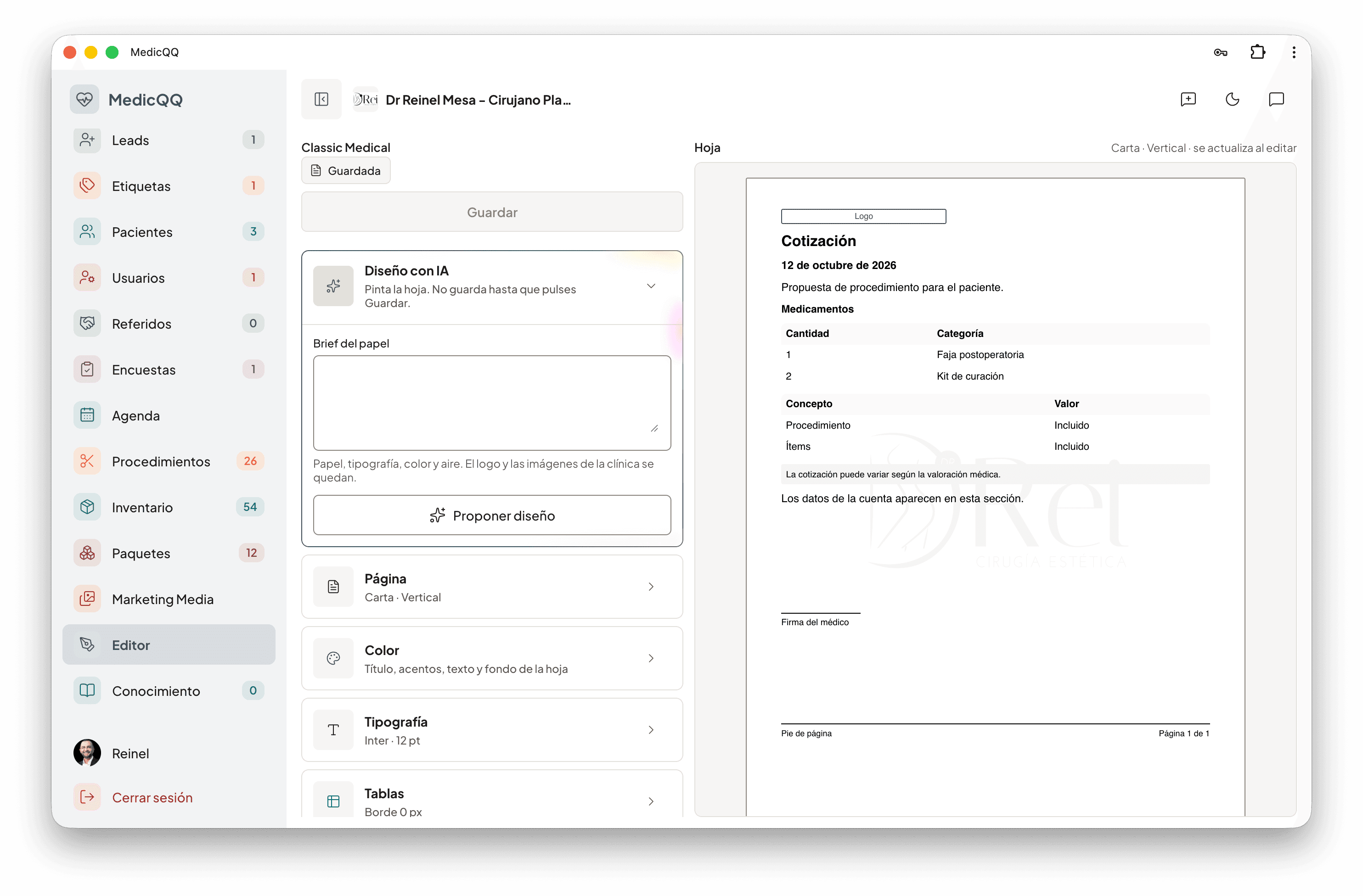
The quote the patient opens is the clinic’s stationery. One visual identity wraps every PDF: colors, type, margins, header, and footer. The clinic describes it in a sentence and the model returns the full design.
The brief
That sentence, up to four thousand characters, asks for the look. The model answers with the palette, the weight of the titles, the font, the size, the logo, the paper — letter, A4, or legal, portrait or landscape — the margins, and what is shown: header, footer, page number, logo, doctor’s signature, breakdown, and bank details. It can also propose the header HTML, the footer text, and its own CSS. If the answer does not fit those rules, it tries once more. The design is not saved on its own: the clinic reviews it and leaves it as that company’s. There is one per clinic, on the Classic Medical template.
Hand tuning
Any piece can be tuned by hand: a color, a margin, the table border. The background and the watermark are clinic images, uploaded separately, with their opacity.
When issuing
When a quote is issued, that identity wraps that patient’s document. There the clinic decides what they see: hide the price of each line, number the items, how names are written, whether procedures and their zone enter, the payment block, and the summary. The first page carries the welcome. If the patient is international, the international-patient notices enter. Medical orders close it and, if the clinic has a signature loaded, the doctor’s. The total can be shown in another currency. The PDF is saved and the previous one is replaced.