 MATEO ZAPATA

Patients
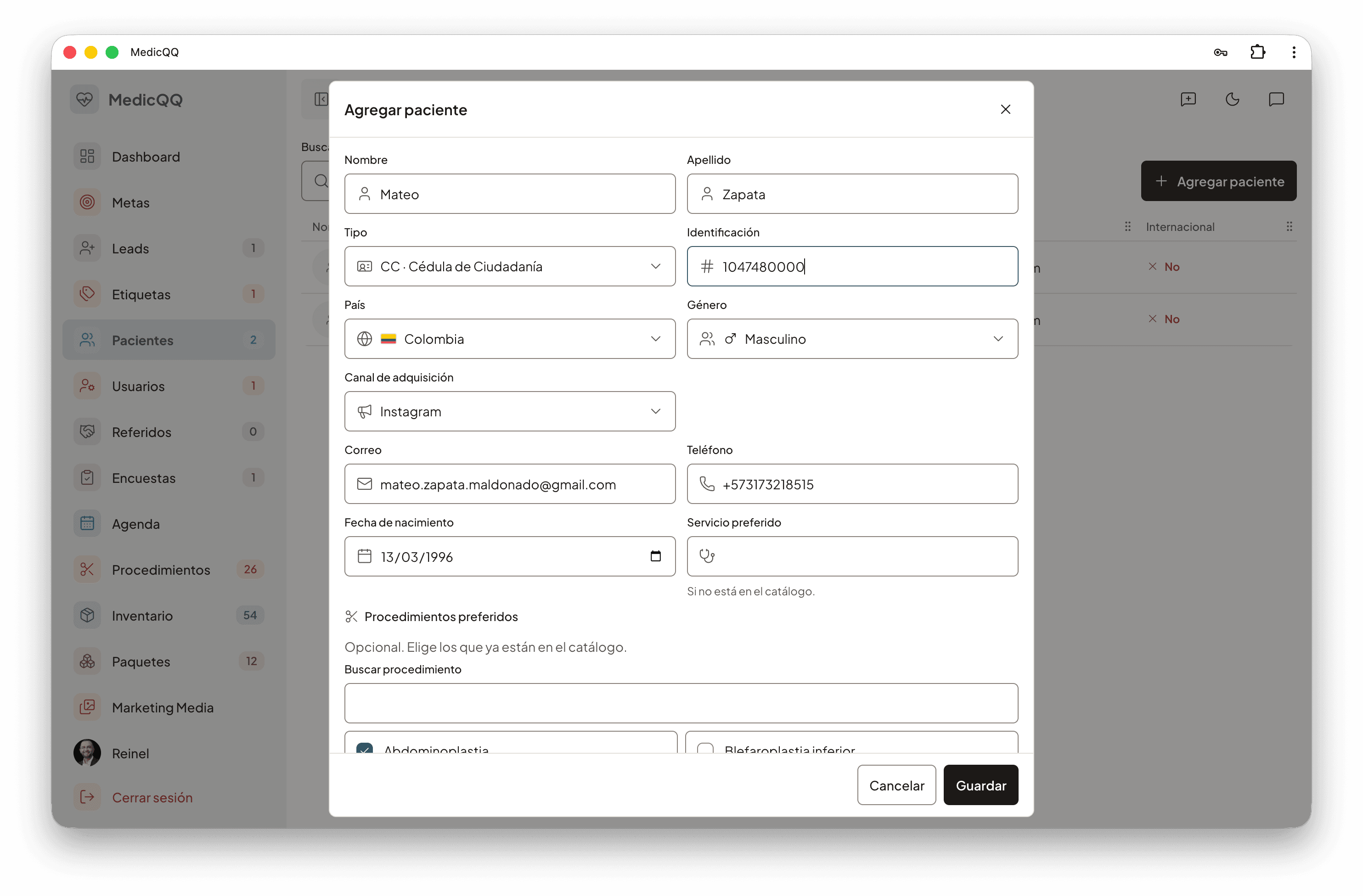
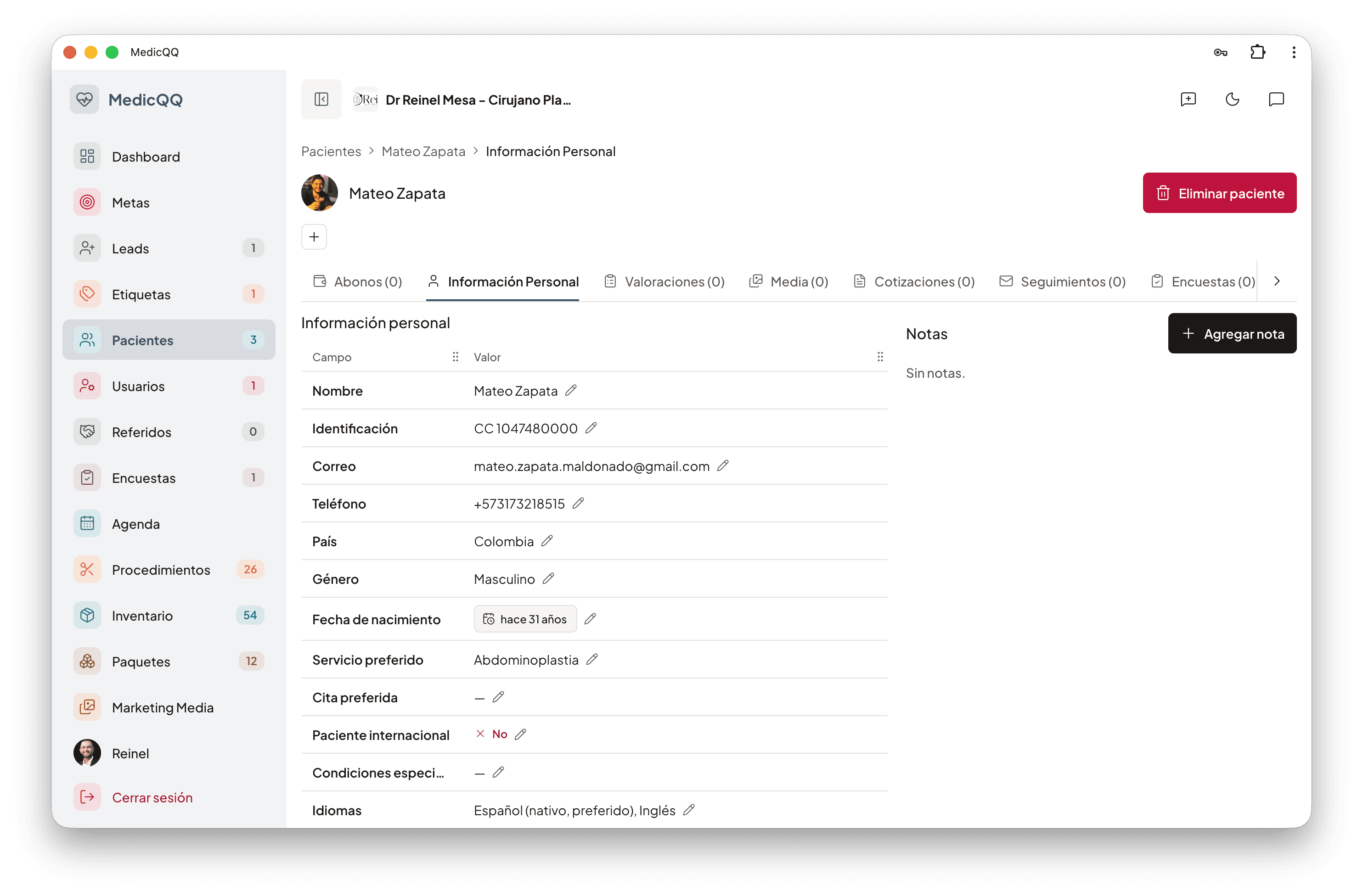
In aesthetic tourism the patient is not a name on a schedule. They travel, speak another language, and arrive through a concrete channel. The record keeps that together with the document, ID type, sex, date of birth, email, and phone. A switch says whether they are international. Special conditions live in free text, for what the team needs to see before booking them. The acquisition channel travels with the person, so the clinic still knows whether they came from Instagram, a referral, or the web.
What the clinic needs to care for them
Languages are registered one by one, and each can be marked native, preferred, or both. The satisfaction survey goes out in the preferred language. Procedures of interest come from the clinic’s own catalog, and a preferred appointment date feeds the operating-room hour calculation. The person’s tags show in the list and in the detail. The tray sorts by the most recent and searches by first name, last name, email, or phone without stumbling on accents: María and Maria are the same search. Each row shows country and flag, sex, document type, channel, whether they travel from another country, special conditions, and tags. The photo is a clinic file — jpeg, png, webp, or gif — up to 5 MB. Replacing it deletes the previous one from storage. Only staff of that company can see it.
The dossier
Opening the patient shows the record and, beside it, how much sits behind: assessments, clinical photos, quotes, surgeries, follow-ups, complications, payments, and surveys. Each of those pieces lives in its own module, hung from this person. Contact notes hang there too, and, if someone brought them, the referral. When a lead converts, this record is born from that conversation: name, country, email, phone, channel, procedures, notes, and tags arrive already written. Deleting a patient removes them from the tray. The dashboard census counts those who stay active, and almost every clinic KPI — funnel, cash, complications, cycle time — starts on this record.
Assessments
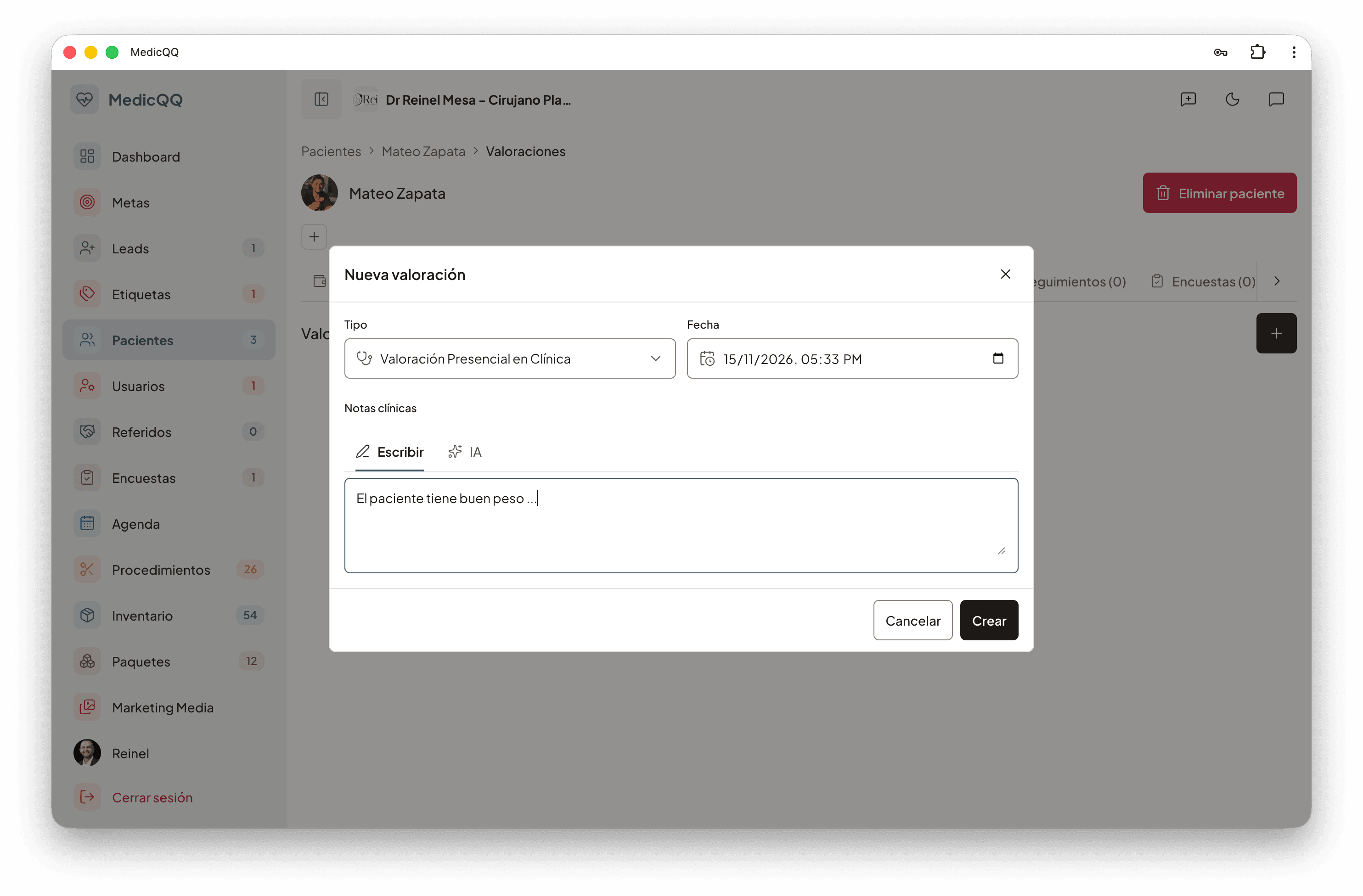
The assessment is the first clinical note and the door to the quote. The doctor in session writes it: assessment type, date, and notes. It lists on the patient, with the doctor’s name. A quote does not start loose: it requires an assessment from that same clinic, and the quote’s patient is the assessment’s patient. The welcome message and later follow-ups read those notes, the date, and the doctor’s name. On the dashboard, each patient’s first assessment is the start of cycle time and the second step of the funnel.
Quotes
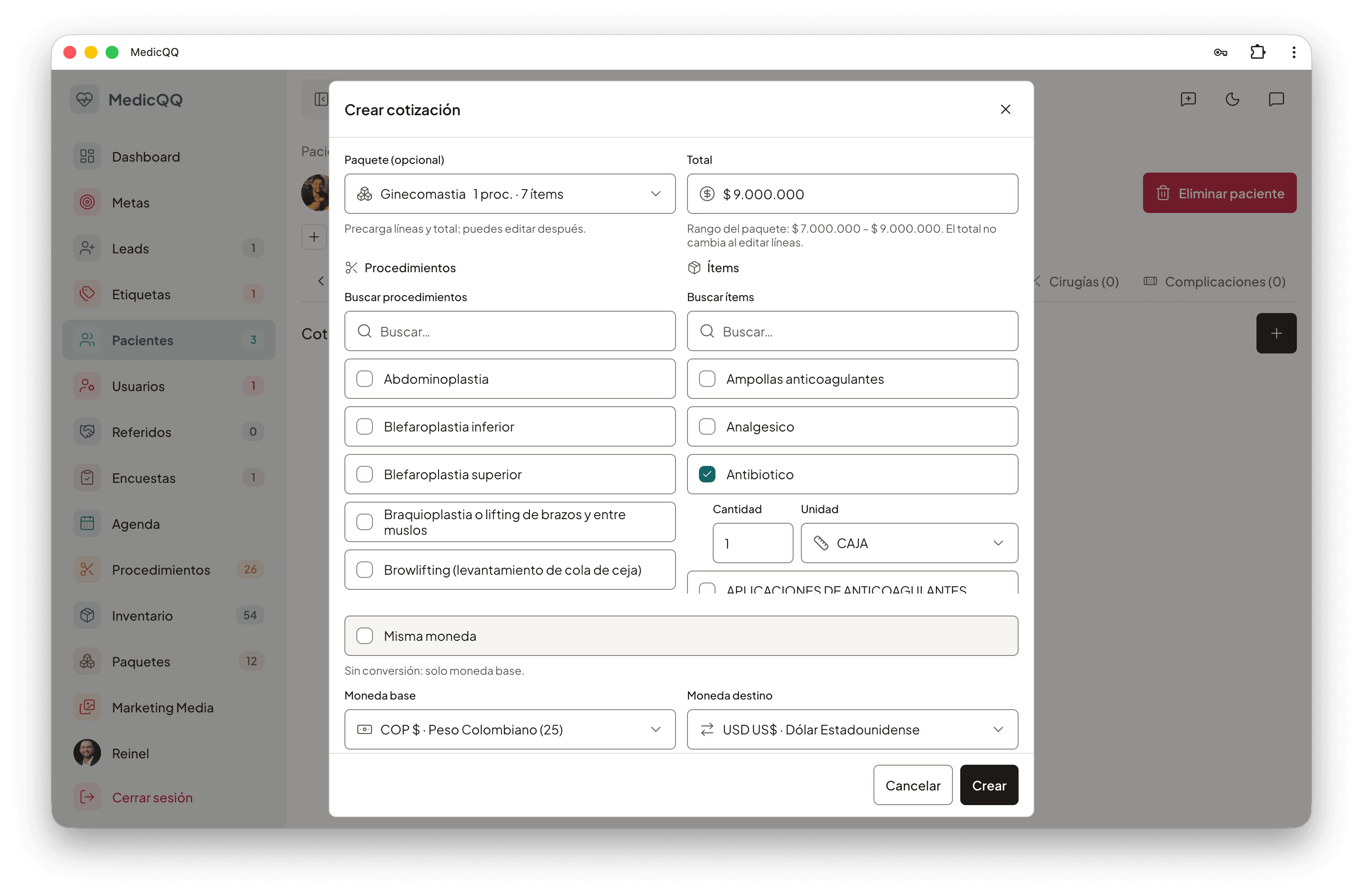
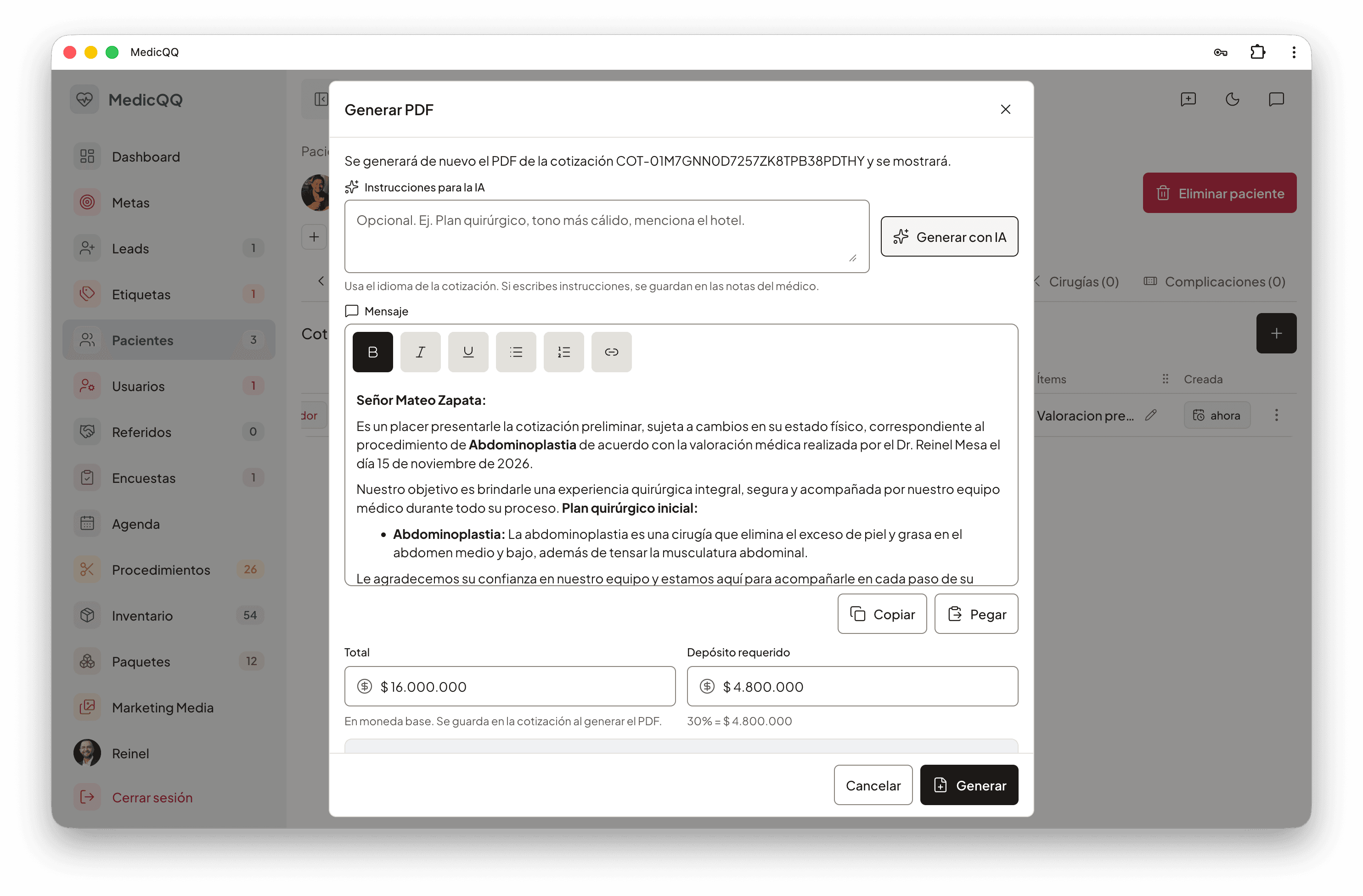
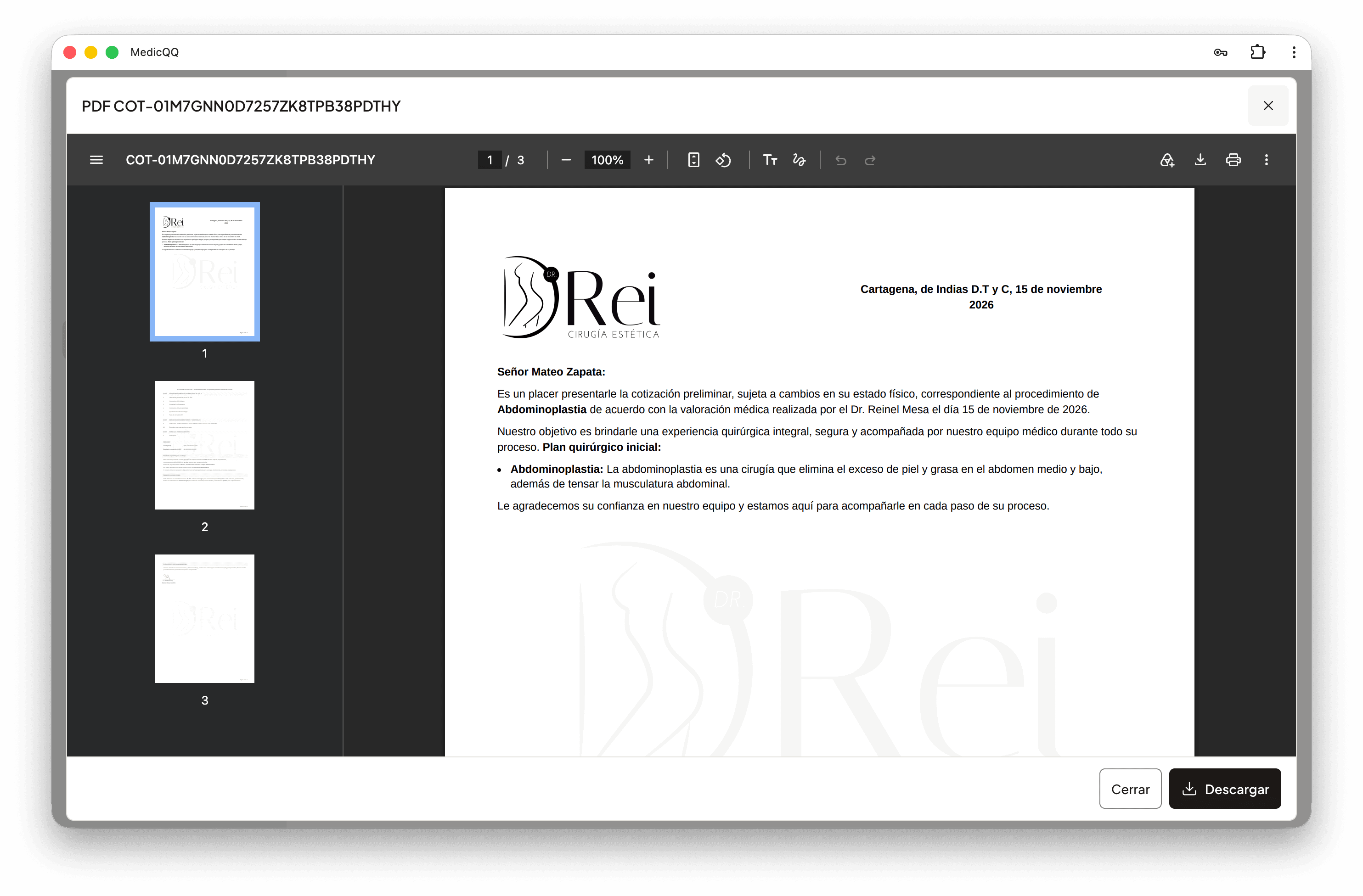
The quote is the commercial document the patient receives in their language and currency. The doctor builds procedures from the catalog, supplies, or both. Whoever quotes decides the total and the deposit; the deposit percentage is stored as entered. It carries an expiry date, observations, and the clinic’s active bank account, which prints so the patient knows where to pay. It can be born from a package, and the package stays as the origin: price and contents are what that quote assembled. If the patient pays in another currency, the system looks up the exchange rate, stores the rate, and leaves the total and deposit converted. The number comes out as COT- plus the identifier, as a draft. From there the document becomes correspondence. One model rewrites the welcome message in the quote’s language, with the patient, procedures, package, doctor, and assessment. Another drafts the email. The PDF is built with what the clinic wants to show: line prices or only the total, numbered items, date, procedures, payment area, and summary. It sends from the clinic’s sender. Status moves to sent and, when the patient opens the email, to opened. If it was already approved, opening the email does not move it back. Each quote counts opens and clicks. Postoperative recommendations for the quoted procedures can be drafted and sent in the chosen language. Every step — exchange rate, copy, PDF — lands in an execution log that feeds the quote engine’s cost and latency.
Follow-ups
Quote follow-up is the sequence that keeps asking, in the document’s language, until the patient replies. The model proposes one to ten emails with the clinic name, the patient, the quote number and dates, the doctor, the procedures, and the assessment notes. The team’s style instruction rules the tone. Each message can carry the PDF attachment and the clinic signature. Nothing is scheduled without review: subject, body, date, and attachment are edited and then saved. A daily send, in the configured time zone, dispatches what is due. Each email ends pending, sent, or failed, and measures its own opens and clicks. A sent message is not deleted. On the patient record they all show, filtered by status or date.
Surveys
The survey asks the patient, in their language, how the doctor, the clinic, and the result were. The clinic builds question groups. Each question is a 1-to-5 score or free text, and can be translated. The starter group brings four: doctor’s manner, facilities, whether the result met expectations, and what can improve. The invitation email also has a per-language template. On send, the system picks the preferred language from the record, copies the questions as the patient will see them, and sends them with a public link, no account. They must answer all, once. A score does not take a comment and an open question requires text. When they answer, the survey closes: the link no longer shows the questions and does not accept a second response. Those answers are the dashboard’s average score and response rate, and can be attributed to the doctor.
Payments
A payment is money that already came in, tied to the patient and, when it applies, to their quote. It carries amount, currency, payment method, date, and a note. If it links to a quote, it must be a quote for that same patient. The patient’s list brings each payment and the total by currency. That cash is what the dashboard sums, what covers the deposit only when the currency matches the quote’s, and what counts the person as an operated patient as soon as they have at least one payment.
Media
Clinical media is the before and after, separate from the profile photo. Each image has a catalog angle, an optional title, and, when it applies, the procedure. An after photo points to a before photo of the same patient. A photo that is already an after cannot serve as the before of another. The file lives in the clinic’s storage as jpeg, png, webp, or gif, up to 5 MB. Removing it takes it off the record and deletes the file.
Sketch
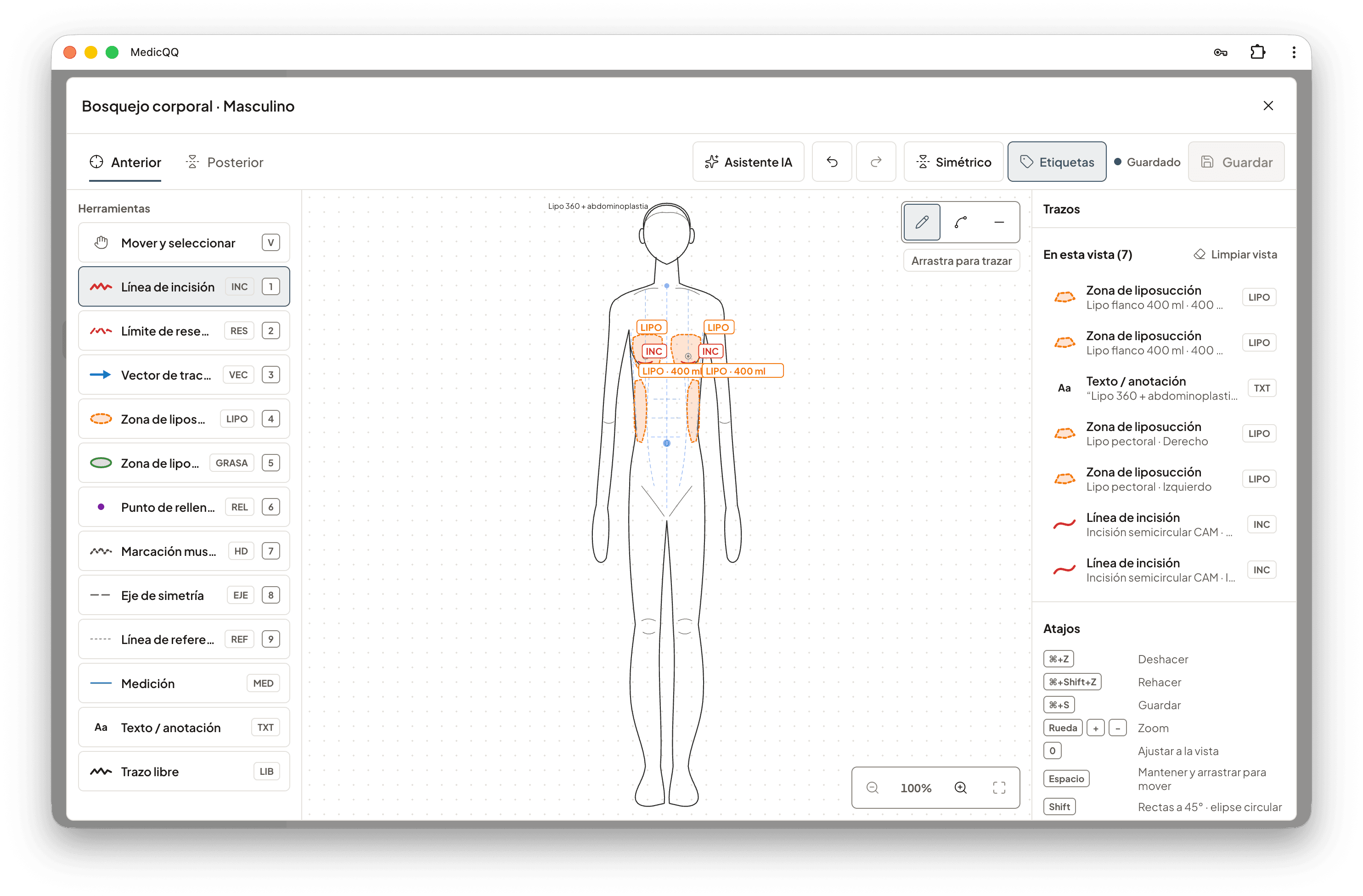
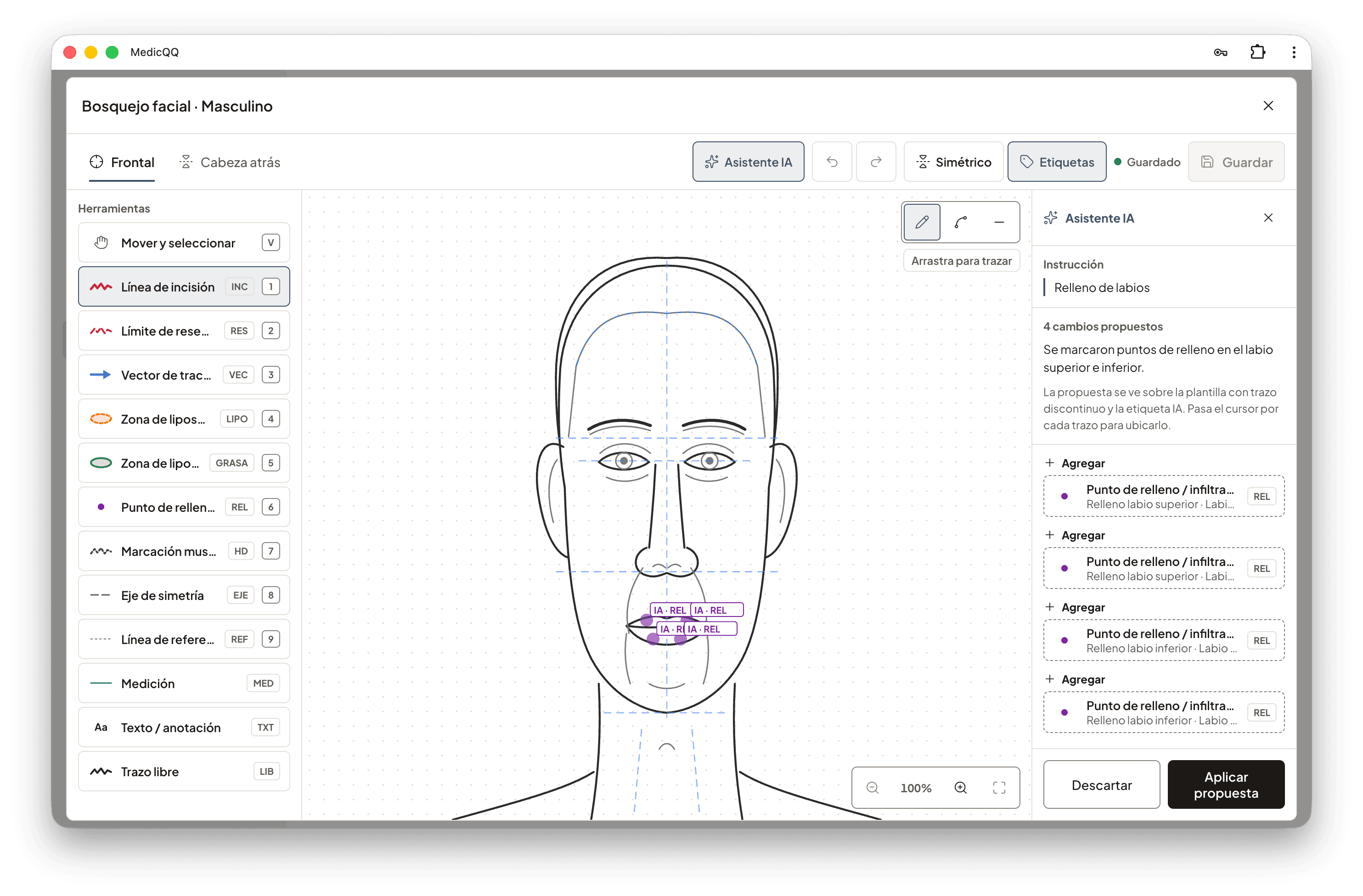
Each sketch hangs from an assessment and inherits its patient. There are two planes. The body plane brings the front view and the back view. The face plane brings the face from the front and the head from behind. The templates exist in a female and a male version, and the sex comes from the record: without that datum there is no figure to draw on. When the sketch is created, those templates are fixed. A new version of the base drawing does not move the marks of a case already made.
What gets drawn
The doctor picks a tool and traces on the view. Each tool has a color, a stroke, and an allowed shape: line, arrow, curve, polygon, ellipse, point, text, or freehand. The catalog is the operating room’s: incision line and resection limit; traction vector; liposuction zone, fat-graft zone, and filler point, and those three carry volume in milliliters; muscle marking, axis of symmetry, and reference lines; measurement, which carries length in millimeters; text and freehand. A mark can name the anatomical region it falls on, the side — left, right, or center — and a procedure from the clinic’s catalog. Two marks can be mirrored in a single save. The drawing allows up to a thousand marks and is saved whole: what is sent is the plane as it should remain.
The atlas
Behind the drawing there is an atlas. The face is split into thirds, and from there come forehead, cheekbones, nose, lips, jaw, and neck. The body goes down to breast or chest, abdomen, flanks, back, buttocks, and limbs. Each region has a clinical name, a translation, and the terms people ask for it by: double chin, dark circles, saddlebags, bat wing. Some regions exist only in one sex, such as the breast and the gynecomastia zone. The atlas also brings the lines the surgeon uses as guides: midline, bipupilar line, inframammary fold, linea alba.
Draft and review
The sketch is born as a draft. In draft, the title, the notes, and the marks can change. Passing it to final closes the plane. To keep drawing, a review is opened: it copies the same templates and the same marks from a previous sketch of the same patient and the same plane, and the new one is editable again. Deleting a sketch removes it from the assessment.
The dictated plan
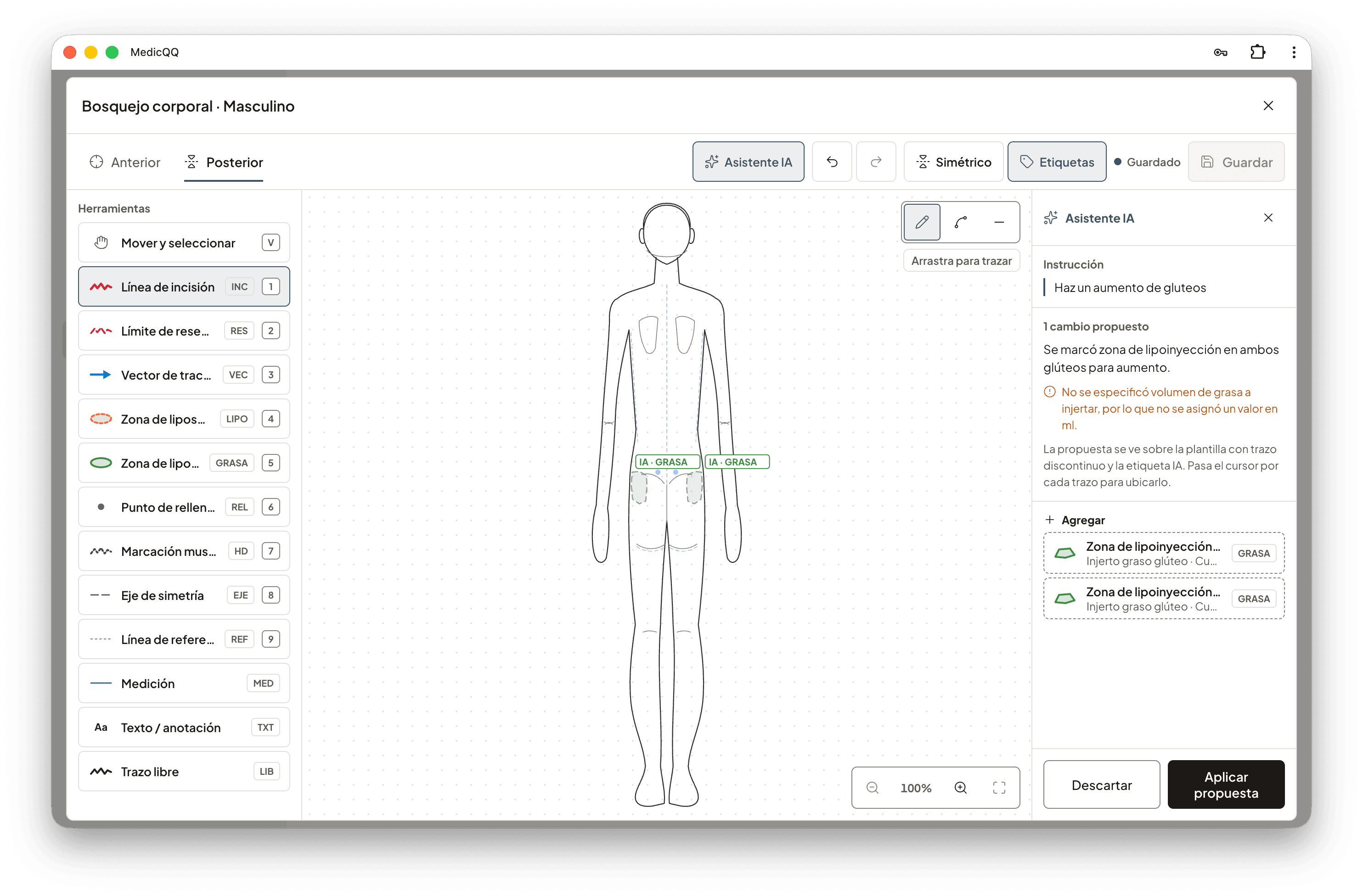
In a draft, the doctor can describe the plan in a phrase of up to two thousand characters. The model answers with add or remove operations, using only the regions, the tools, and the procedures that exist. Each operation is validated on its own: a region that is not in that view, a volume on a tool that does not carry one, or an impossible side are rejected, and the model has a correction to remake the plan. In preview the proposed drawing is shown and is not saved. On apply, the valid marks enter the plane. Each request stays audited, with the instruction, the model, and the tokens. The clinic assistant can embed the sketch in the conversation: the assessment, the SVG, and the marks, ready to be seen beside the doctor’s notes.