 MATEO ZAPATA
Authentication
Users, Roles, Permissions, and Departments: who gets in, with what identity, what they can touch, and in which area. Without clear accounts, AI and processes become a risk; with Authentication every person is traceable, every role reusable, and every access governable from day one.
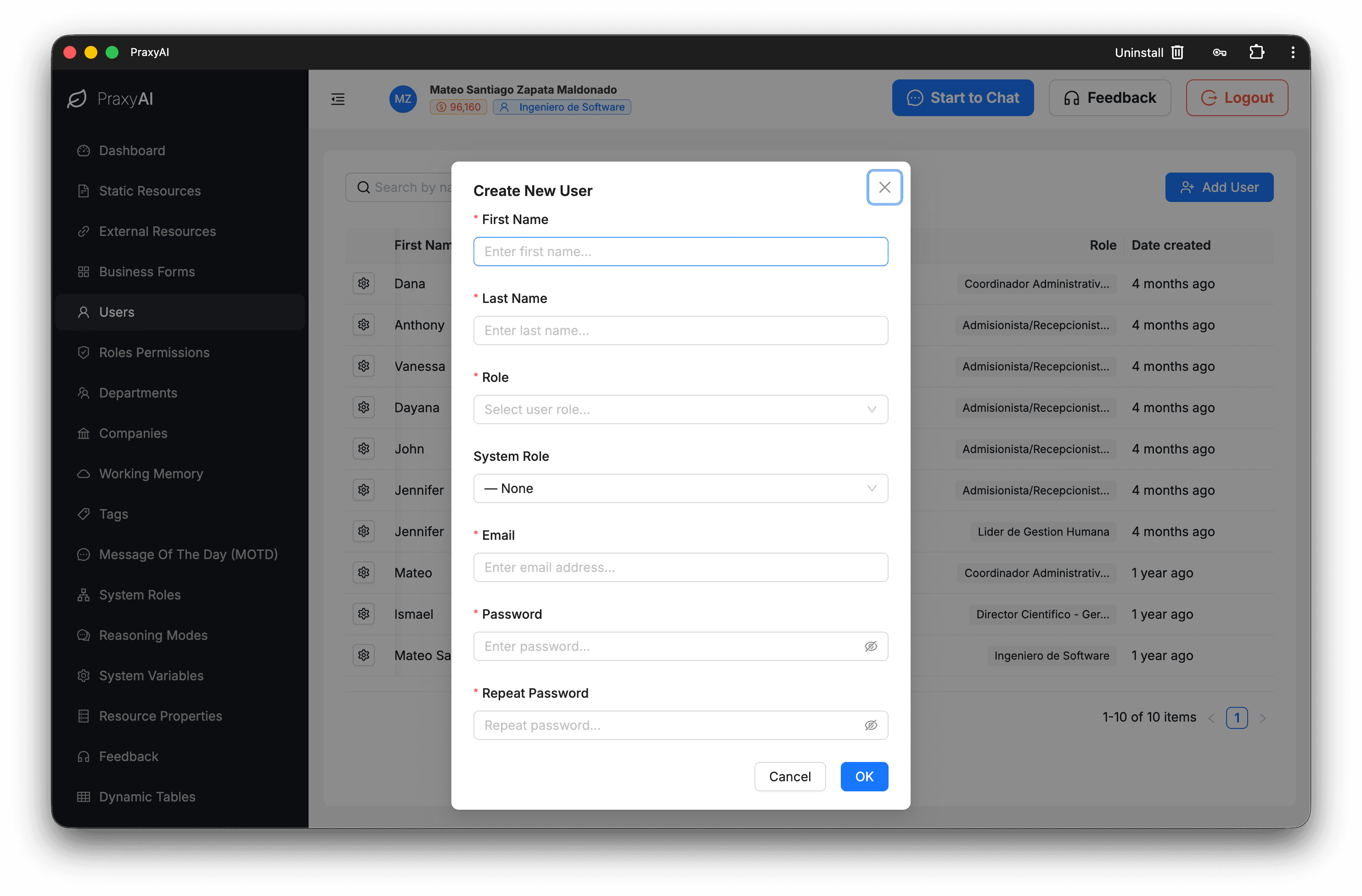
Users
Users is the human directory of the corporate brain: who gets in, with what identity, and under which rules. Without clear accounts, AI and processes become a risk; with Users, every person is traceable, activatable, and governable from day one.
Directory
The inventory of people in the company, searchable and filterable by role. You stop asking “who has access?” and see the human map of the operation.
Onboarding & Activation
Controlled sign-ups: invitations, activation, and accounts ready to work without improvising access over WhatsApp. Less friction hiring in; fewer security gaps.
Credentials
Password change and governance with clear rules. You protect the front door without turning IT into a “reset password” call center.
Role Assignment
Each user operates with a defined role: they see and run only what belongs to them. You scale the team without multiplying the risk of “everyone can do everything.”
Lifecycle
You update or retire accounts without leaving ghost users consuming access and cost. The operation grows and cleans up by the same standard.
Roles
Roles turns the real organization — manager, analyst, admissions, support — into job profiles inside PraxyAI. Instead of loose permissions per person, you define how each kind of role works… and reuse it.
Catalog
The company’s profile catalog, with how many people use each one. Organizational clarity: you know which roles exist and which weigh on the operation.
Role Design
Name, description, and scope of the job in business language. The role stops being a technical ID and becomes a definition any manager understands.
Membership
You see who is assigned to each role and adjust the roster without rebuilding permissions one by one. Faster team changes; fewer configuration mistakes.
Department Alignment
Roles connect to areas of the company. Organizational structure and access stop living in separate worlds.
Teardown
When you retire a role, associated pieces are cleaned up. You avoid dead profiles nobody remembers that still open doors.
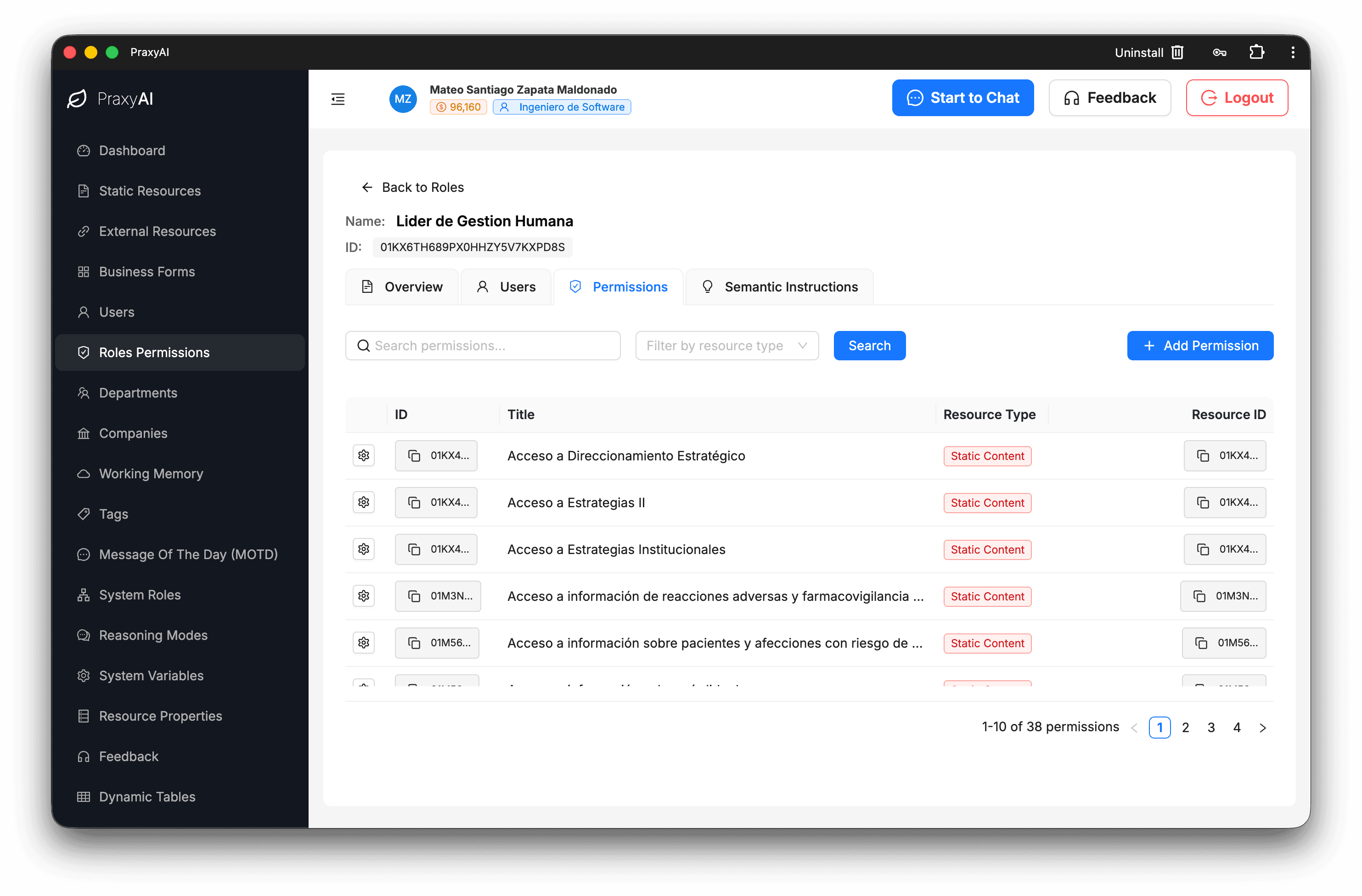
Permissions
Permissions is the fine lock on the corporate brain: having an account is not enough; you decide which knowledge, which API, and which form each role can touch. Here you avoid the most expensive pain: automating too much and filtering too little.
Resource Access
Permissions tied to concrete resources — documents, connections, forms. Access stops being generic and becomes operational: “this yes / this no.”
Role Matrix
You grant and revoke permissions by role, with views of what is granted and what is pending. You govern access in bulk, not person by person.
AI-Assisted Labels
PraxyAI helps name and describe permissions from the resource. Less admin work; more clarity for whoever audits or trains.
Who Can What
Inverse queries: given a resource, which roles use it. Ideal for security reviews and for answering “who can run this?” in seconds.
Change Control
Role changes and bulk assignments with traceability. You scale governance without a permissions spreadsheet or surprises in production.
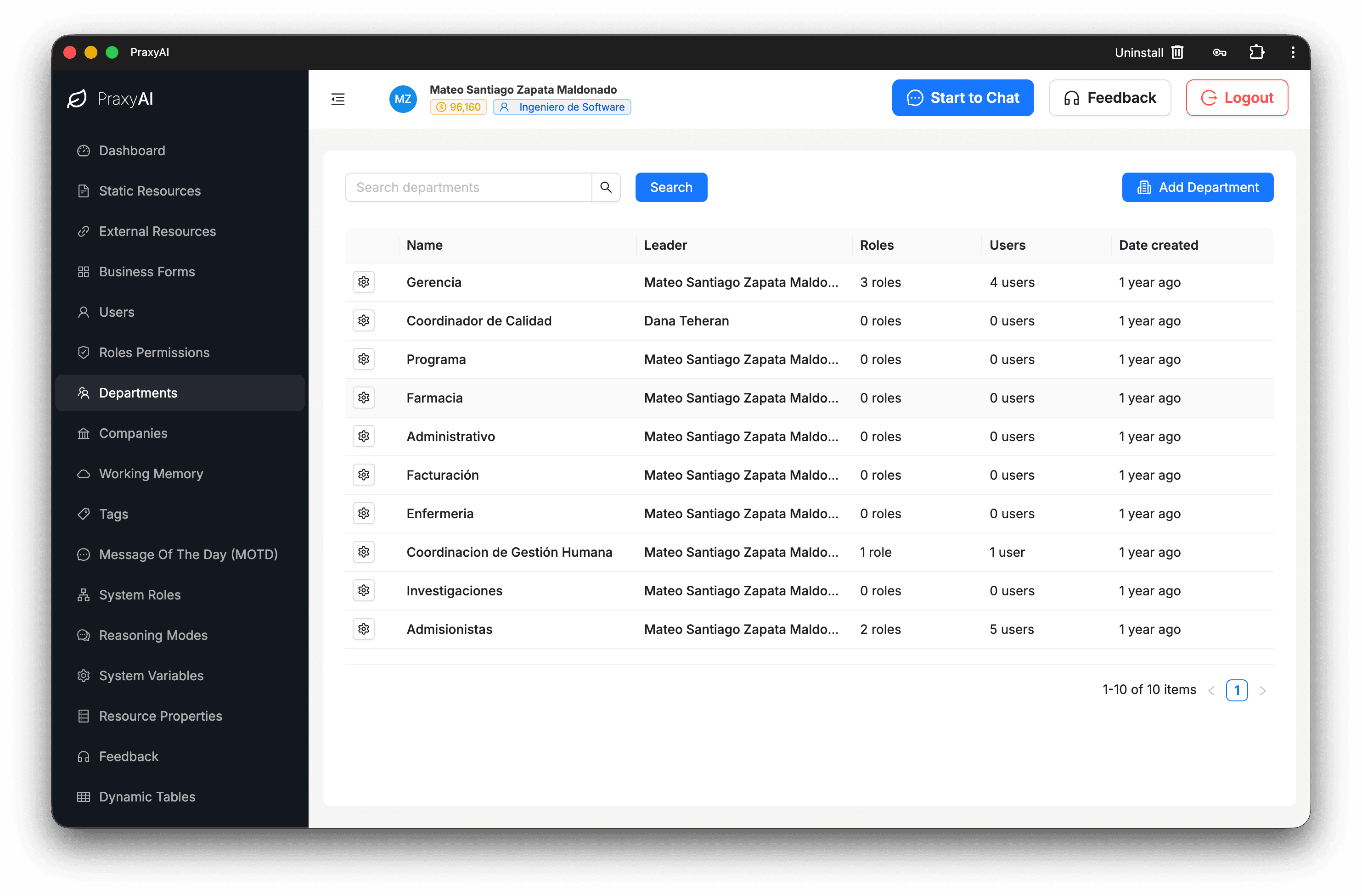
Departments
Departments reflects how the company is organized — areas, offices, teams — and connects it to roles and people. The org chart stops being a decorative PDF and starts ordering access, operation, and ownership.
Catalog
The map of company areas, searchable and maintainable. Everyone speaks the same organizational language inside PraxyAI.
Structure
You create and update departments as the company changes. The platform follows mergers, new sites, and reorganizations without rebuilding everything.
Roles by Department
You link profiles to each area. Finance, HR, and Operations stop sharing one accidental sack of access.
People Roster
You see who belongs to each department. Less “whose is this?” ambiguity; more clarity for ownership and support.
Lifecycle
You retire areas and associated relationships with order. Structure grows and cleans up without orphan nodes in access governance.