 MATEO ZAPATA
Procedures
The clinic stops improvising prices and treatment names on every case. In DocBrok, Procedures is the catalog of real treatments — whitening, veneers, implants — that feeds a credible simulation and an automatic quote, so the patient sees the outcome and the price in one experience. The journey: a well-defined catalog → credible simulation → automatic quote → a patient who understands and decides.
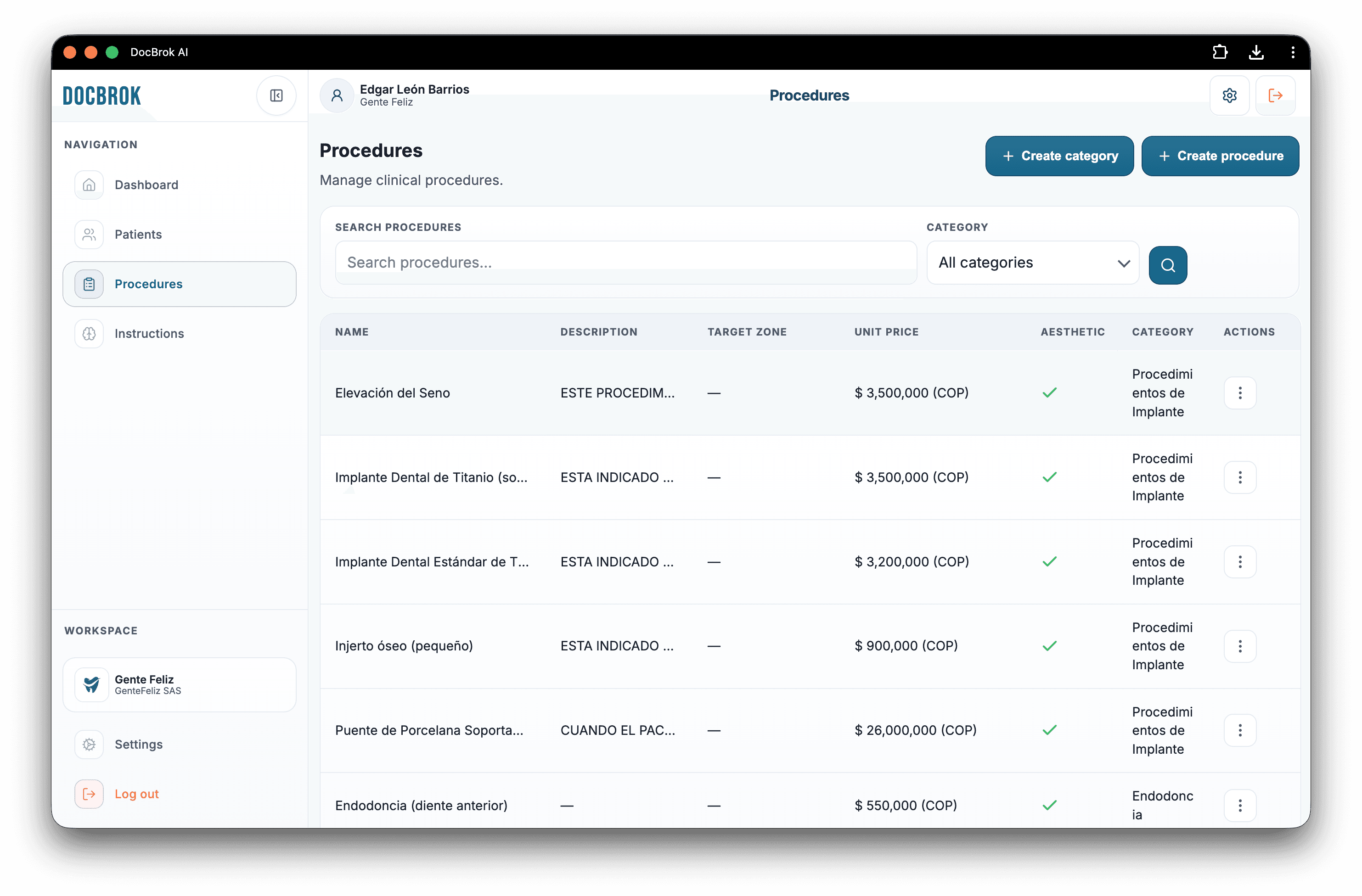
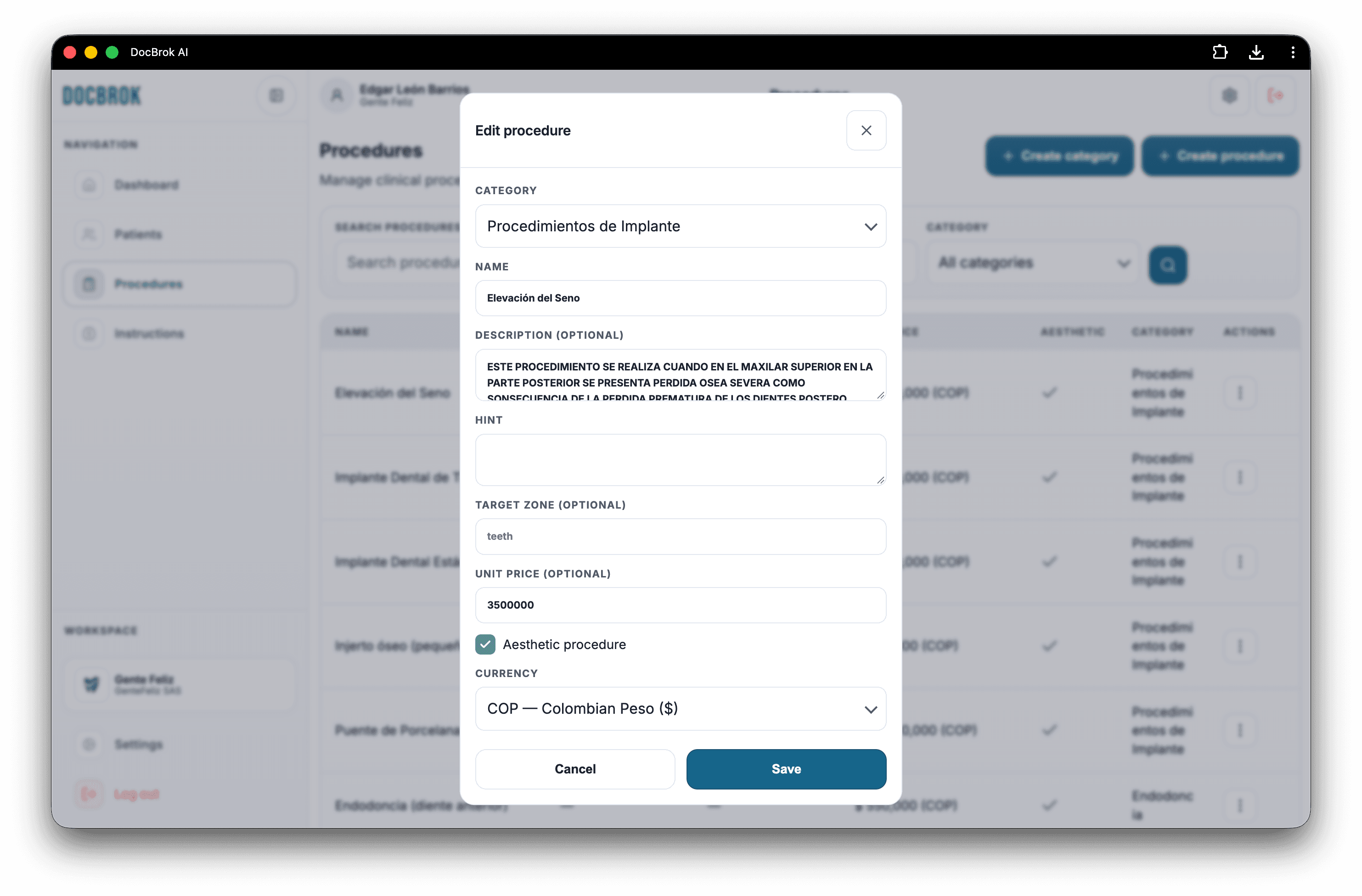
Create / edit procedure
Adds a treatment with name, description, price, and currency. Value: the clinic sells with clarity and consistency, not by guesswork.
Category
Groups treatments (aesthetic, orthodontics, surgery…). Value: the dentist finds what to offer quickly and the patient understands the plan type.
Name
How the treatment is presented to the team and the patient. Value: clean commercial language — “Porcelain veneers,” not internal jargon.
Description
Explains what the treatment includes or does. Value: gives the AI and the quote context so the proposal feels professional.
Hint / guide
A short instruction that orients how to visualize or present that procedure. Value: better simulations and messages aligned with clinical intent.
Target zone
Shows where the treatment acts (anterior teeth, full smile…). Value: the simulation focuses where it matters and looks more realistic.
Unit price + currency
Defines what the procedure costs and in which currency. Value: a base to quote fast, convert currencies, and stop inventing prices on the spot.
Aesthetic flag
Marks which treatments work for visual smile simulation. Value: the dentist only picks what can actually be shown to the patient.
Full catalog
The clinic’s complete procedure list. Value: a commercial inventory ready for day-to-day work.
Aesthetic list
Only simulable treatments. Value: the smile flow shows the right options, without noise.
View detail
Full treatment record. Value: review price, zone, and description before using it on a case.
Delete procedure
Removes from the catalog what is no longer offered. Value: avoids quoting or simulating outdated services.
Categories
Create and list categories to organize the menu. Value: an ordered catalog means faster sales and fewer errors.